React Server Components vs Client Components: When to Use Each
A practical breakdown of the RSC boundary, what runs on the server, what runs in the browser, and the mistakes that silently break your Next.js app.
Jacob Almogela
Full Stack Developer
Server Components landed in React 18 and became the default in Next.js 13's App Router. A year later, most developers either avoid them out of confusion or use them incorrectly and wonder why their app breaks. The mental model is actually simpler than it looks, but it does require you to unlearn some habits from the pages/ era.
The Core Difference
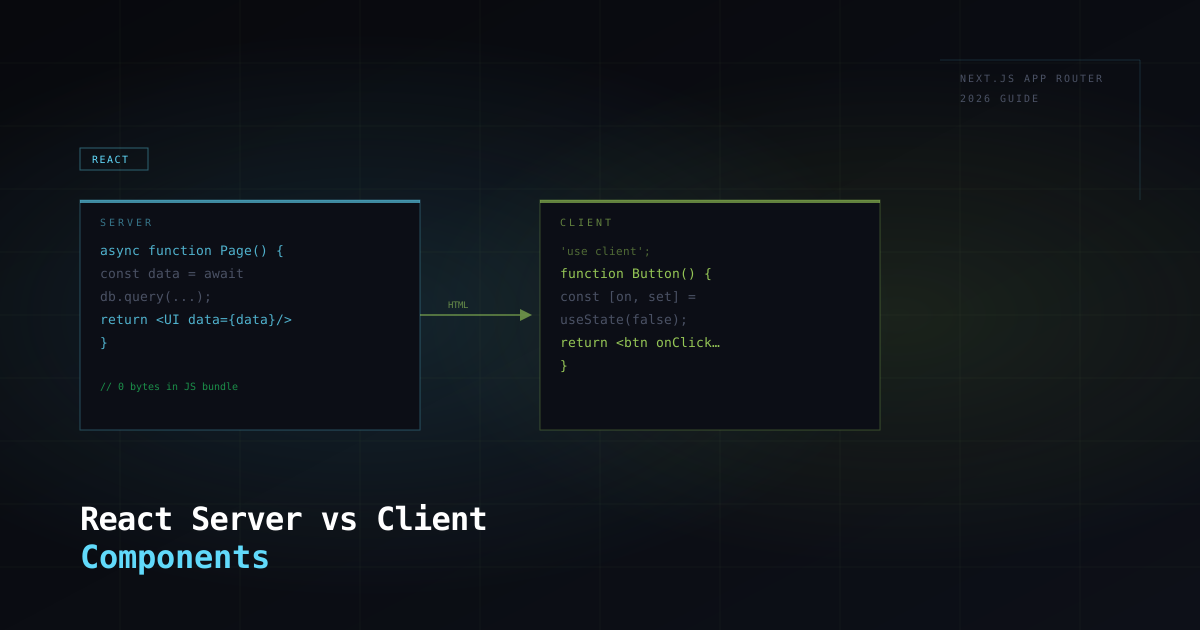
Server Components render once on the server and send HTML to the browser. They have no JavaScript bundle at all. The code never ships to the client. Client Components are what you already know: they render on the client, they can use state, effects, and browser APIs, and their JavaScript is included in the bundle. In the App Router, every component is a Server Component by default. You opt into a Client Component by adding 'use client' at the top of the file.
What Server Components Can and Cannot Do
- ◆Can: fetch data directly with async/await — no useEffect, no API route needed
- ◆Can: access server-side resources — databases, file system, environment secrets
- ◆Can: import heavy server-only packages without bloating the client bundle
- ◆Cannot: use useState, useReducer, useEffect, or any React hooks
- ◆Cannot: attach event handlers (onClick, onChange, onSubmit)
- ◆Cannot: use browser APIs (window, document, localStorage)
If a component needs interactivity, make it a Client Component. If it only displays data, keep it a Server Component. The boundary decision is almost always that straightforward.
The Boundary: Passing Data Across the Line
Server Components can import and render Client Components. Client Components cannot import Server Components, only the other way around. Data flows downward through props and those props must be serialisable: strings, numbers, plain objects, arrays. You cannot pass a function, a class instance, or a database connection as a prop to a Client Component.
The Most Common Mistake: Pushing 'use client' Too High
The instinct when you hit a 'hooks can only be called in a Client Component' error is to add 'use client' to the parent, then the grandparent, until the whole tree ends up client-side. This erases the benefit of Server Components entirely. The correct fix is to push the interactive logic down into the smallest possible component and keep the data-fetching ancestors as Server Components.
When to Use Each: A Decision Guide
- ◆Server Component: page layouts, navigation, any component that fetches data
- ◆Server Component: components that render content from a CMS, database, or API
- ◆Server Component: components with no user interaction or browser-only logic
- ◆Client Component: anything with onClick, onChange, form submissions
- ◆Client Component: components using useState, useEffect, useRef, or custom hooks
- ◆Client Component: components using third-party libraries that depend on browser APIs
- ◆Client Component: anything that needs to animate, listen to events, or respond to user input
The Performance Payoff
The reason the distinction matters is bundle size. Every 'use client' module ships to the browser. A Server Component's dependencies, even a 200KB data processing library, are zero bytes in the client bundle. In a well-structured App Router app, only the genuinely interactive parts of the UI end up in JavaScript. The rest arrives as plain HTML. For content-heavy pages like product listings, blog posts, and dashboards, this is a significant performance win with no trade-off.
Run next build and check the bundle analysis output. Any Server Component you accidentally turned into a Client Component will appear as a surprisingly large chunk. That's your signal to push the boundary down.