SEO for Developers: The Technical Checklist I Use
The exact checklist I run through on every site launch, covering crawlability, structured data, page speed, and the issues that quietly tank rankings.
Jacob Almogela
Full Stack Developer
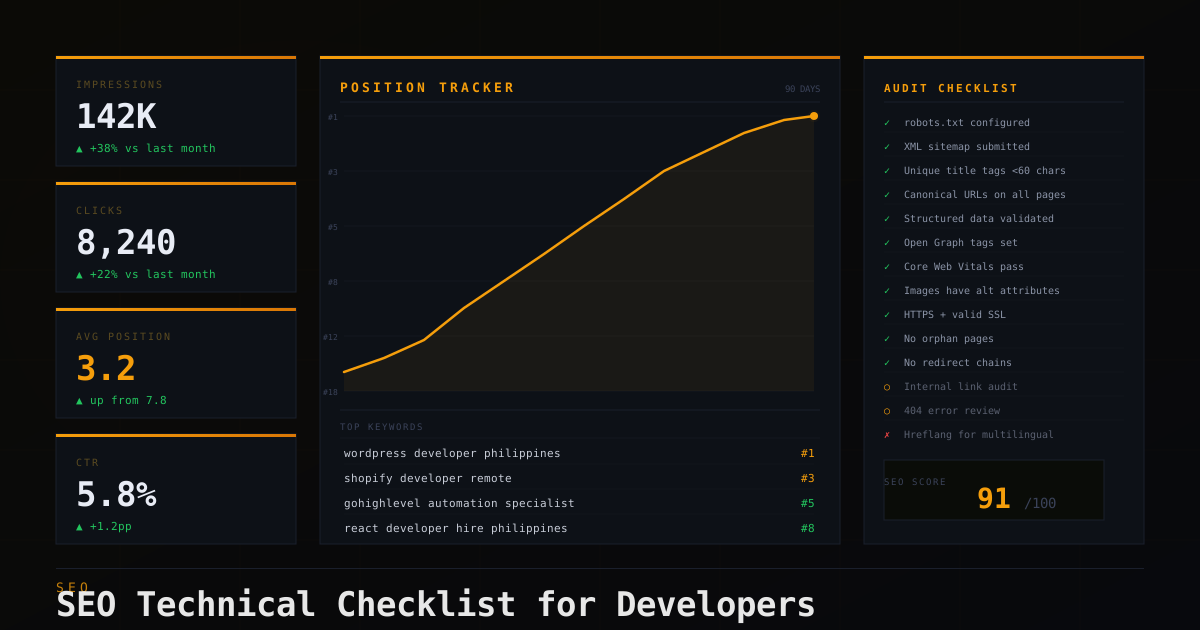
Every site I launch gets the same 20 minute technical audit before going live. Not because clients ask for it. Most do not even know what technical SEO means. But invisible issues compound over time. A missing canonical tag is harmless today. After six months of Google crawling the wrong URL, it becomes a real ranking problem. Here is the checklist I run through every time.
Crawlability: Let Google In
The first thing to check is whether Google can actually access your pages. A misconfigured robots.txt or a stray noindex meta tag can silently block your entire site from search results. I have seen this happen on live production sites after a staging config got deployed by accident. Here is a clean baseline to start from:
Never use Disallow: / in production. Block staging environments in their own robots.txt, not on the live site. Always verify with Google Search Console > URL Inspection after launch.
Meta Tags: Title, Description, Canonical
The title tag is still one of the strongest on-page signals. Keep it under 60 characters, lead with the primary keyword, and make every page unique. The meta description does not affect rankings directly but it drives click-through rate. Write it like ad copy, not a summary. The canonical tag is equally important and the most commonly skipped.
Set canonical URLs on every page, including the homepage. Without one, Google has to choose between /page, /page/, and /page?ref=... and may split ranking authority across all three.
Structured Data with JSON-LD
Structured data tells Google what your content means, not just what it says. JSON-LD is the cleanest format. It lives in a script tag and does not touch your HTML structure at all. For a developer portfolio, start with Person schema. For blog posts, add Article. For an eCommerce site, Product and BreadcrumbList are the highest value types.
Validate every schema implementation with Google's Rich Results Test before deploying. It shows exactly what Google parses, including silent errors that block rich snippets.
Sitemap and Index Coverage
Your XML sitemap tells Google which URLs exist and when they were last updated. Most platforms generate one automatically. WordPress uses Yoast or RankMath, Shopify does it natively, and Next.js has next-sitemap. But always check what is inside it. Sitemaps should only list canonical, indexable pages.
- ◆Submit your sitemap in Google Search Console → Sitemaps
- ◆Check Coverage report for 404s, redirect chains, and excluded URLs
- ◆Remove paginated URLs (?page=2), filtered product URLs, and admin paths
- ◆Exclude noindex pages from your sitemap — including them contradicts the directive
- ◆Only update lastmod when content actually changed — Google ignores fake dates
The Full Technical Checklist
- ◆robots.txt is accessible at /robots.txt and verified — no accidental Disallow: /
- ◆XML sitemap submitted to Google Search Console and returning 200
- ◆Every page has a unique title tag under 60 characters starting with the primary keyword
- ◆Every page has a canonical URL tag pointing to its preferred version
- ◆No duplicate content from www vs non-www, HTTP vs HTTPS (301 redirects in place)
- ◆Structured data validated with Rich Results Test — no errors
- ◆Open Graph tags set on all pages for accurate social sharing previews
- ◆Core Web Vitals pass on mobile in PageSpeed Insights (LCP < 2.5s, INP < 200ms, CLS < 0.1)
- ◆Internal links use descriptive anchor text — no 'click here' or 'read more'
- ◆All images have descriptive alt attributes (not just file names)
- ◆HTTPS active with valid SSL certificate — no mixed content warnings
- ◆No orphan pages — every page is reachable through navigation or internal links
- ◆No redirect chains longer than one hop
- ◆Third-party scripts load async/defer — not render-blocking in <head>
Technical SEO is mostly about removing blockers. You are not trying to trick Google. You are making sure your content is findable, understandable, and fast. Run this checklist at launch, then again after major updates. Google Search Console's Coverage and Core Web Vitals reports will flag regressions before they affect rankings.