Table of Contents
WooCommerce to Shopify migration services for your store
When your current e-commerce setup on WooCommerce begins to limit growth, speed, or functionality, choosing WooCommerce to Shopify migration services is a strategic move. As a full-stack developer, Shopify developer, WordPress developer, SEO analyst, ReactJS/Next.js specialist and web designer, I’m equipped to manage the entire migration-journey — ensuring your store moves smoothly, stays SEO-healthy, and performs at its best.
Why opt for WooCommerce to Shopify migration services?
- With WooCommerce to Shopify migration services you gain access to Shopify’s robust commerce platform, built-in security, scalability and app ecosystem — ideal for growth.
- Migrating correctly ensures your SEO is preserved, URL structure managed, data (products, orders, customers) transferred safely, and user experience improved.
- My dual skill set (development + SEO) means your migration isn’t just technical — it’s optimized for search engines and conversions from day one.
When should you choose WooCommerce to Shopify migration services?
You should consider this migration if you:
- Have a WooCommerce store that’s performance-slow, prone to plugin conflicts, or difficult to scale.
- Need advanced e-commerce features, better infrastructure, or global reach that Shopify handles well.
- Want to maintain or improve SEO rankings while migrating platforms — avoiding traffic loss.
- Prefer one developer/partner who handles full-stack architecture, Shopify build, SEO & design — and delivers WooCommerce to Shopify migration services end-to-end.
How I deliver WooCommerce to Shopify migration services
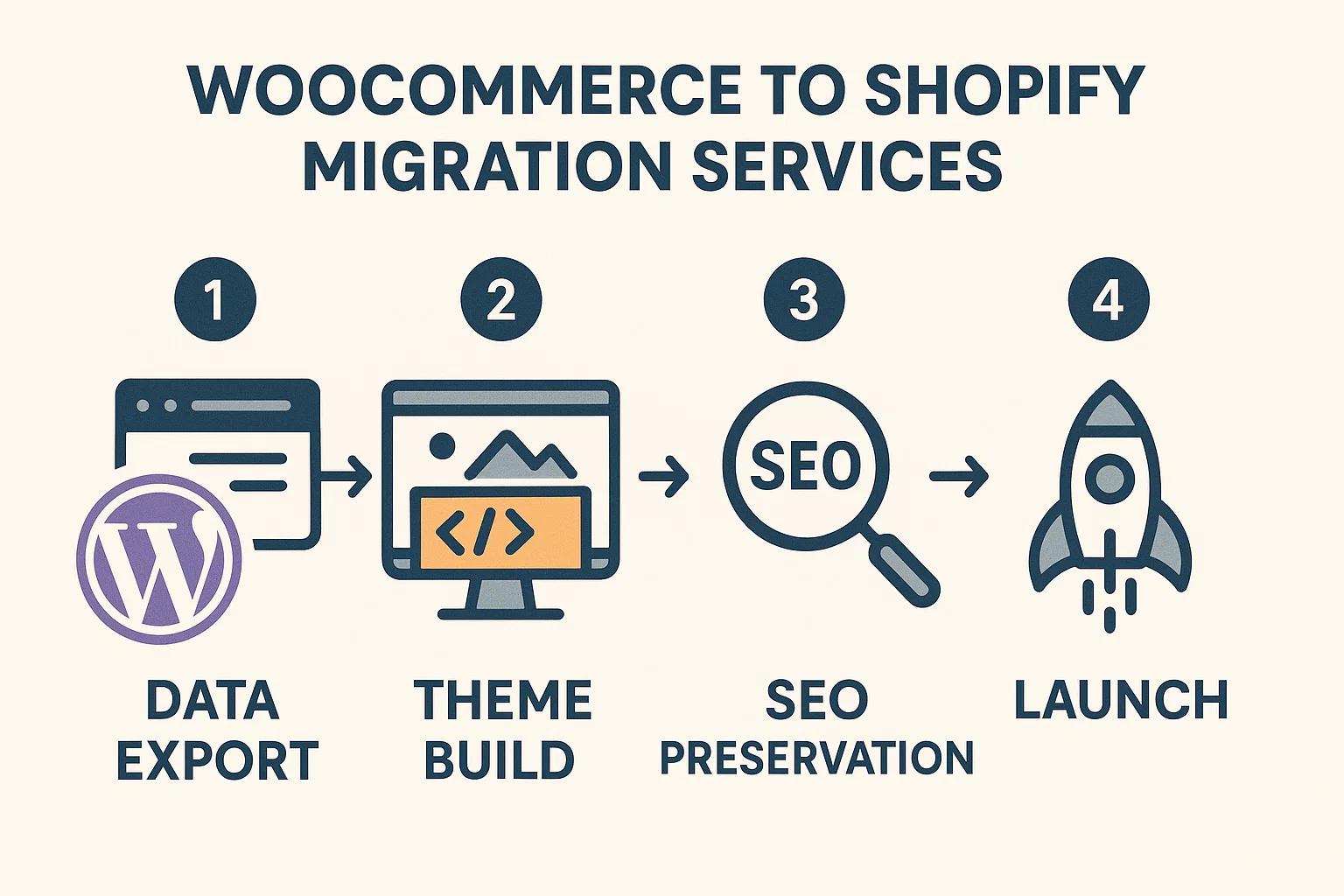
1. Planning & audit
We’ll begin by auditing your WooCommerce store: theme, plugins, speed, SEO, data structures, orders, customers. Then map to Shopify structure and plan migration with minimal downtime and SEO risk.
2. Data & SEO migration
- Export products, orders, customers from WooCommerce and import into Shopify, mapping custom fields and variants.
- Preserve URL structures, set up 301 redirects, migrate meta titles/descriptions, alt texts and structured data so your SEO continuity is maintained.
- Ensure the keyword “WooCommerce to Shopify migration services” appears naturally in headings, content and image alt text for optimized page.
3. Shopify theme & optimization
- Build or customise Shopify theme to match your brand design and user-experience goals.
- Optimize for speed, mobile UX, and conversion: lean code, image compression, minimal render blocking.
- Integrate apps as needed but keep performance lightweight.
4. Testing, launch & support
- Test full functionality: checkout flow, data integrity, mobile responsiveness, speed metrics, SEO indexing.
- Launch and monitor for traffic changes, ranking shifts, conversion performance.
- Provide ongoing support: updates, future features, SEO monitoring to ensure your migration success over time.
Best practices & pitfalls to avoid
- Don’t ignore SEO during migration: Without preserving URLs, meta data and schema, your store can lose traffic.
- Don’t migrate blindly: Ensure you map every data-point and test thoroughly before going live.
- Avoid plugin sprawl: On WooCommerce many heavy plugins slow stores — migrating via WooCommerce to Shopify migration services gives opportunity to streamline.
- Ensure maintainability: Post-migration choose manageable workflows, clean theme/app setup and clear documentation so you don’t rely on costly support indefinitely.
Conclusion
If you’re ready to elevate your online store and move from WooCommerce to a high-performance Shopify platform, then investing in WooCommerce to Shopify migration services is the right step. With my comprehensive expertise in full-stack development, Shopify, WordPress, SEO, React/Next.js and web design, you’ll get a migration that’s seamless, optimized, and growth-ready. Let’s collaborate and transform your e-commerce store at jacobalmogela.com.