GoHighLevel Automation: Streamlining CRM Workflows
How I use GHL's workflow builder to automate follow-ups, appointment reminders, and lead nurturing sequences that save clients hours of manual work each week.
Jacob Almogela
Full Stack Developer
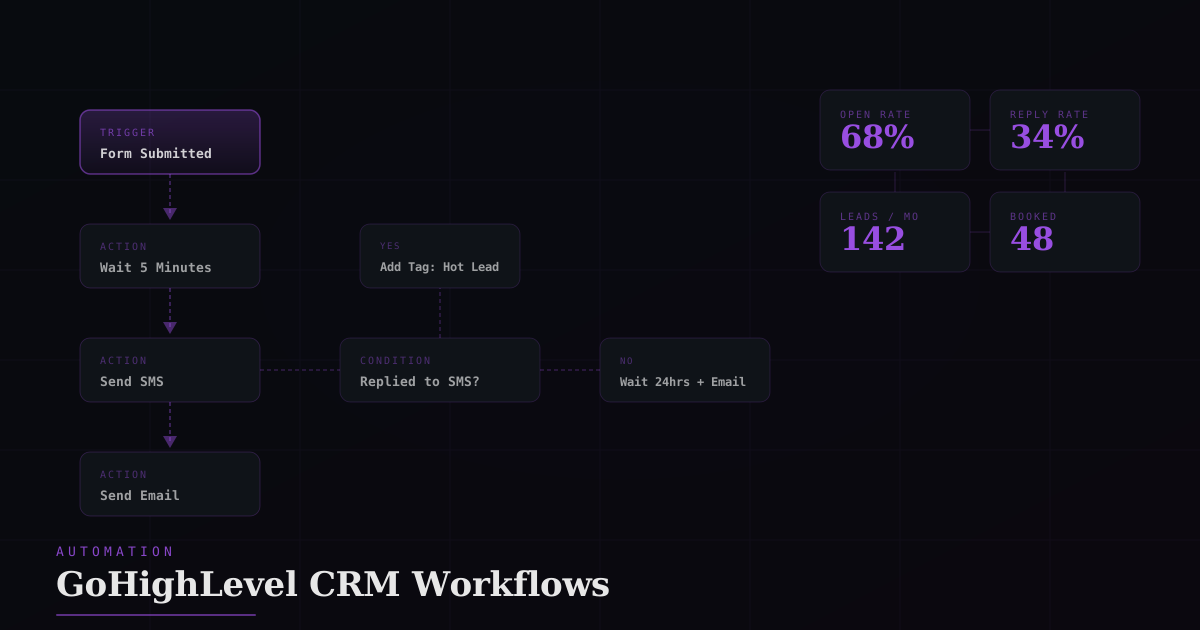
Most businesses that switch to GoHighLevel already know they need automation. They are just drowning in manual follow-ups, missed appointment reminders, and leads that went cold because nobody reached out in time. GHL's workflow builder solves all three. Here is how I set it up for clients.
How GHL Workflows Work
A workflow is a trigger combined with a sequence of actions. The trigger fires when something happens in GHL: a form is submitted, a tag is added, an appointment is booked, or a pipeline stage changes. Actions then run in order. Send an SMS, wait, send an email, check a condition, add a tag, notify a team member.
Every workflow should have one clear job. Don't combine lead nurture + appointment reminders into one workflow. Single-purpose workflows are easier to debug and reuse across funnels.
The Lead Nurture Sequence I Use for Every Client
When a lead submits a contact form, the window to respond is narrow. Studies consistently show that responding within 5 minutes dramatically increases conversion. Here is the workflow I build first on every new GHL account.
- ◆Trigger: Form submitted (any lead capture form)
- ◆Immediately: Add tag 'New Lead', assign to pipeline stage 'New'
- ◆Wait 2 minutes: Send SMS — personal tone, not salesy, just checking in
- ◆Wait 1 hour: If no reply, send follow-up email with more detail
- ◆Wait 24 hours: If still no reply, send a second SMS with a soft CTA
- ◆Wait 3 days: Send final email, mark as 'Nurture' if still no response
Appointment Reminder Workflow
No-shows are expensive. A two-touch reminder sequence cuts no-show rates dramatically: one email the day before and one SMS two hours before the appointment. GHL's calendar triggers make this easy to build.
Using Conditions to Branch Logic
The If/Else action is where GHL workflows get really powerful. You can branch based on whether a contact replied, which tag they have, which pipeline stage they are in, or what they answered in a survey. Use this to avoid messaging leads who already responded.
Always add an 'Exit' condition at the top of every workflow: if the contact already has the tag 'Do Not Contact', skip the entire workflow. Prevents double-messaging contacts already in another sequence.
Practical Tips from Real GHL Builds
- ◆Name workflows with a prefix: NL_ for nurture, AR_ for appointment reminders — keeps the list readable at 20+ workflows
- ◆Use 'Test Workflow' with a real phone number before going live — GHL's preview won't catch timing bugs
- ◆Set business hours on SMS actions so leads don't get texts at 2am
- ◆Use the 'Remove from workflow' action when a lead converts — stops the nurture sequence automatically
- ◆Duplicate working workflows between sub-accounts rather than rebuilding from scratch
The ROI on a solid GHL automation stack is immediate and measurable. Clients who previously spent 3 to 4 hours a day on manual follow-ups get that time back in week one. The workflows run around the clock, respond faster than any human, and never forget to follow up.